
Members
Register a new member
Create a full member profile: identity, contact, emergency, photo, disciplines.
Updated May 23, 2026
Register a new member
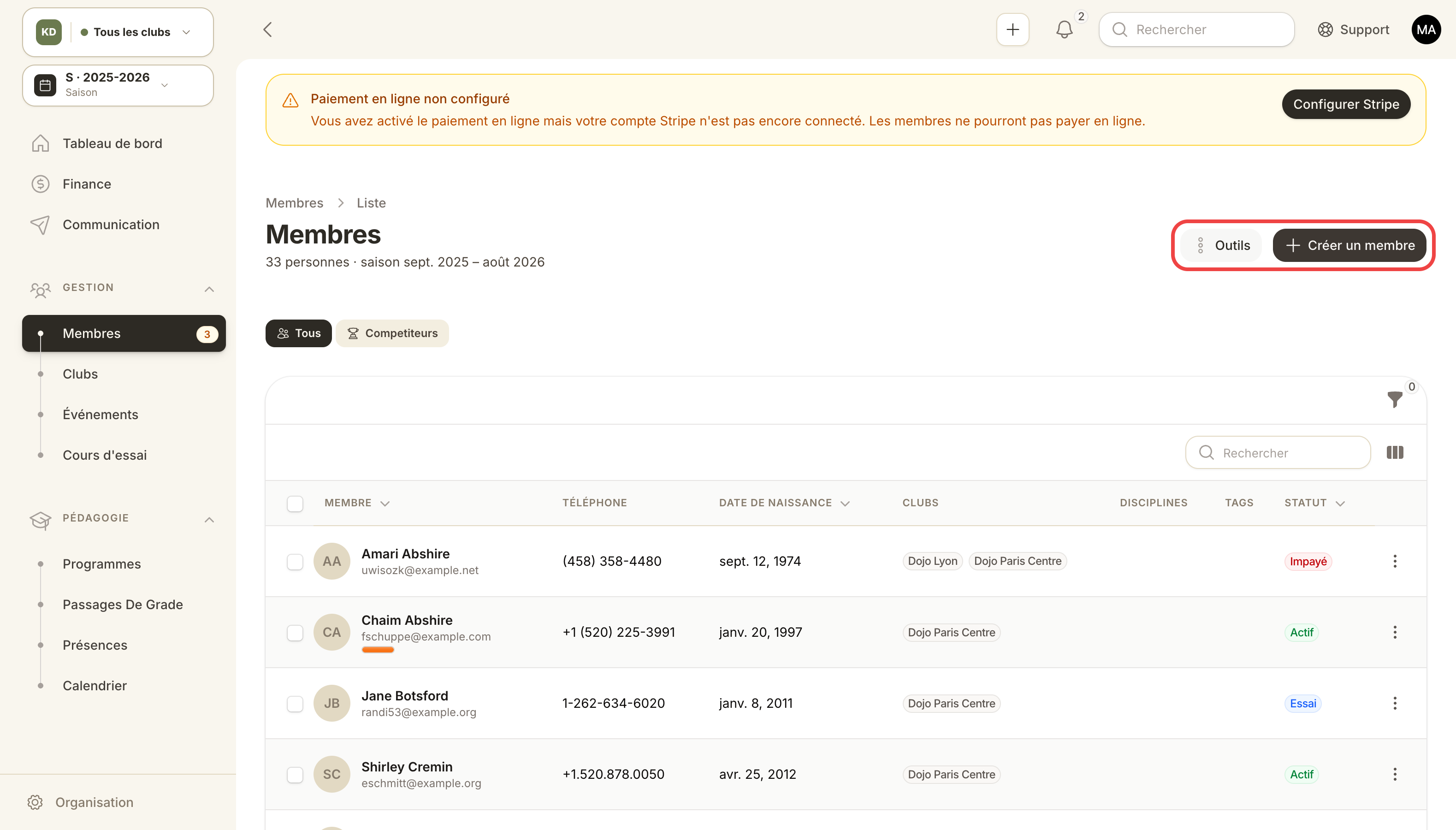
Members list with highlighted actions and filters.
The Member is the central entity of the admin panel. Everything (attendance, invoices, grades, events) hangs off it.
Three ways to register a member
- Manually from the panel (this guide).
- Convert a confirmed trial class registration.
- Public sign-up via the online registration page.
Manual creation
Admin panel → Members → New member.
Identity block
- First name, last name.
- Date of birth (used by age-range pricing rules).
- Gender (optional, useful for federal stats).
- Photo (drag-and-drop or camera capture).
Contact block
- Primary email (used as login if the member later creates an account).
- Mobile phone.
- Full postal address (printed on invoices).
Emergency block
- Name + phone of the emergency contact.
- Allergies, medical conditions, practice restrictions.
This data is visible only to your team. It's never exposed publicly.
Disciplines block
Tick the disciplines the member practices. This drives:
- Which grades they can receive.
- Pricing rules (e.g. discount for multi-discipline).
- Technical programs visible on the member panel.
Member statuses
A member follows this lifecycle: Lead → Trial → Active → (Paused | Unpaid) → Cancelled → (Churned | Reactivated).
- Lead: prospect (form filled, not yet registered).
- Trial: trial class in progress.
- Active: paid subscription running.
- Unpaid: at least one overdue invoice (auto-recomputed daily).
- Paused: voluntary suspension (injury, long leave).
- Cancelled: left.
Automatic transitions are handled by Kimono. You can override manually (e.g. pause someone for a move).
Use case — quick signup of an accompanied child
A parent registers their 8-year-old son. You want to create the member + generate the first monthly invoice.
- New member → fill in the child's details.
- Contact tab: enter the parent's email.
- Subscriptions tab → Subscribe to a plan → pick Kids €30/mo.
- Invoice #1 is generated as Sent and emailed to the parent.
- The member moves from Pending to Active on payment.
Use case — merge a duplicate
The member signed up twice (once via the public page, once via the trial form).
- Find both profiles in the members list (filter by email).
- On one, action Merge with… → pick the other.
- Kimono moves subscriptions, invoices, attendance and grades to the master profile, then deletes the duplicate.