
Organization
Organization identity and default currency
Logo, trading name, legal details and the default currency applied across invoices.
Updated May 23, 2026
Organization identity and default currency
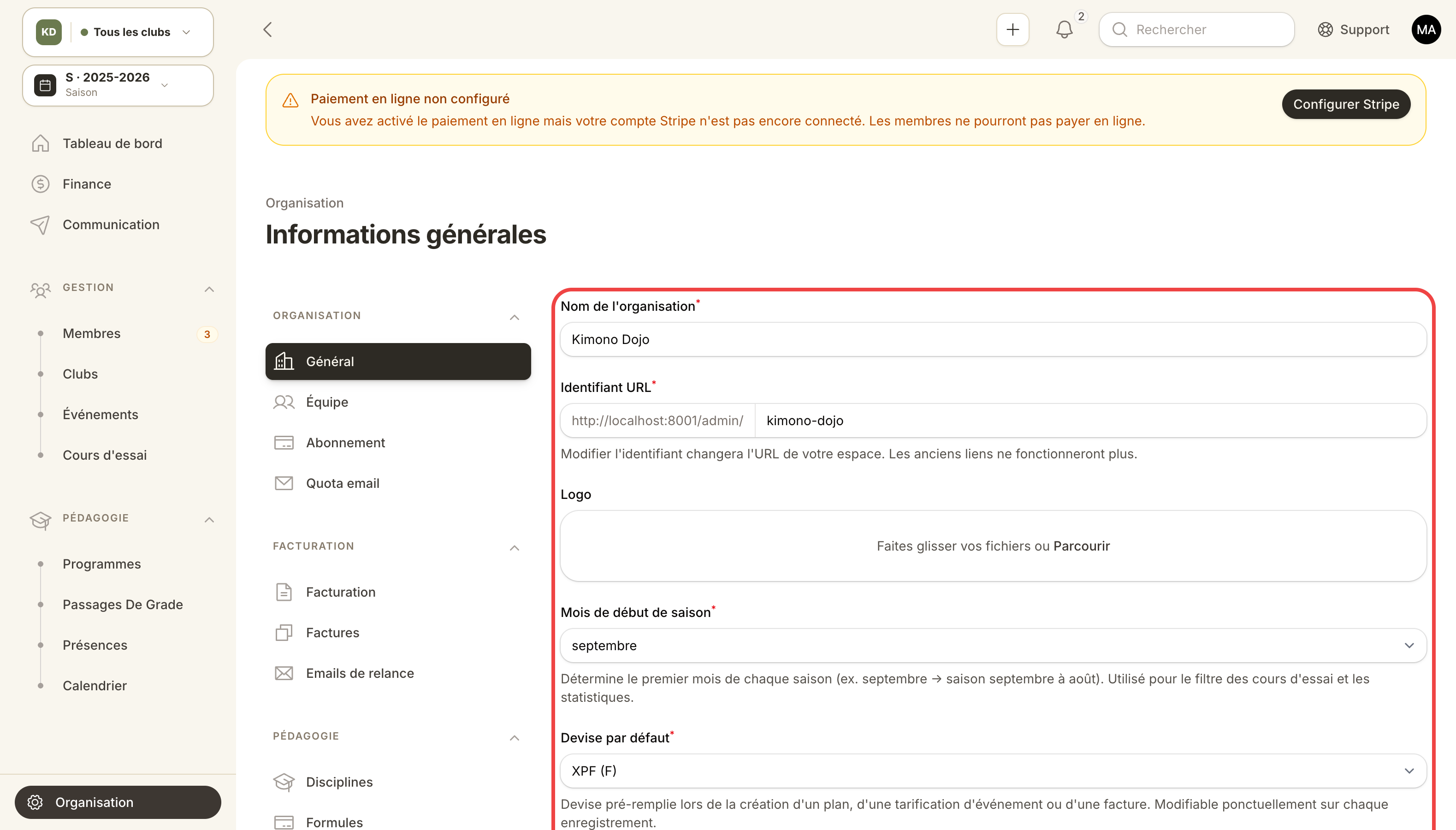
Identity, default currency, address and contact info: configured here.
Your general settings drive how Kimono looks publicly (sign-up pages, invoices, emails) and which currency is used by default for billing.
Where to find it
Admin panel → Organization → General settings.
What you configure
| Field | Effect |
|---|---|
| Trading name | Shown on invoices, public page, emails |
| Logo | Appears in the panel, on invoice PDFs and transactional emails |
| Default currency | EUR, USD, GBP, CHF, CAD, XPF, etc. Used by every new plan and every new invoice |
| Address | Printed on invoices (snapshot at issuance) |
| Tax ID / VAT number | Country-required legal fields |
| Phone / contact email | Visible to your members |
Use case — switch currency
You created your organization in EUR but you actually operate in CFP francs (XPF) in New Caledonia.
- Open General settings.
- Pick XPF under Default currency.
- Save.
Invoices already issued keep their original currency (immutable snapshot). New invoices and new plans will use XPF. You can override the currency per club or per plan at any time.
Use case — address and legal identity
Before sending your first invoice, double-check:
- Exact legal name (e.g. Sakura Sports Association).
- Full postal address (street, ZIP, city, country).
- Tax ID for France, VAT number if applicable.
- IBAN if you bill by transfer.
These fields are frozen on each invoice at issuance. Editing them later does not retroactively rewrite past invoices — what the tax office saw stays as is.
Best practices
- Upload your logo on day one — it shows up on the first emails your prospects receive.
- If you operate multiple legal entities, create one organization per entity rather than overriding per club.