
Plans and billing
Invoice tracking and unpaid follow-up
Spot overdue, auto-reach-out, keep your club's financial health in check.
Updated May 23, 2026
Invoice tracking and unpaid follow-up
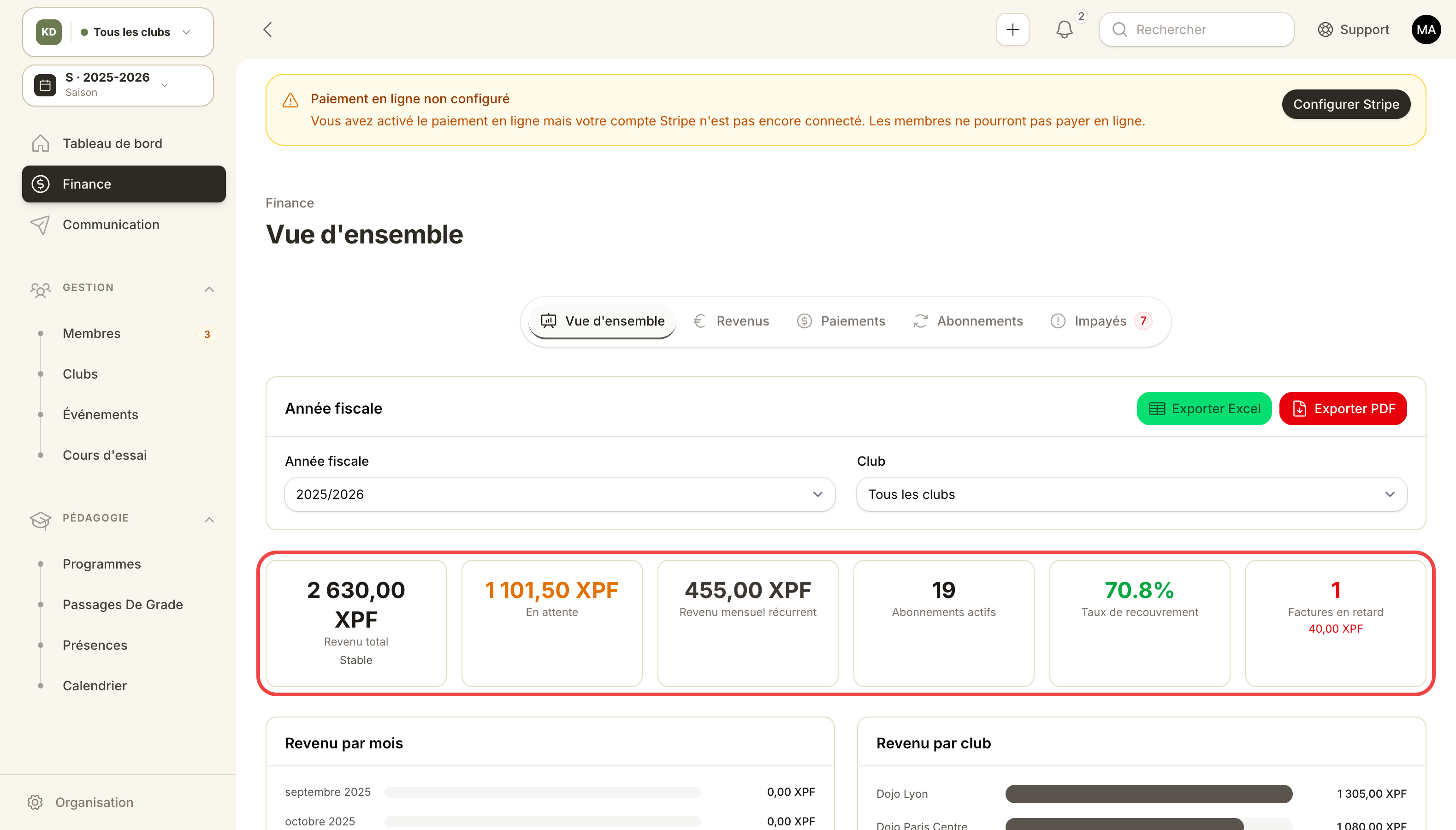
KPI tiles: MRR, unpaid invoices, churn and active subscriptions.
The Finances cluster centralizes your organization's financial health: overview, payment tracking, unpaid invoices, revenue analysis, subscription analytics.
Overview
Admin panel → Finances → Overview.
- Monthly recurring revenue (MRR).
- Total revenue this month vs last month.
- Outstanding unpaid balance.
- Active subscriptions.
- Churn (this month's cancellations).
Payment tracking
Admin panel → Finances → Payment tracking.
Every invoice with filters: period, status, payment method, club.
Invoice statuses:
Draft → Sent → ( Paid | PartiallyPaid | Overdue ) → ( Refunded | Cancelled )
- Draft: the only editable status. Once sent, the invoice is frozen.
- Sent: emailed to the member.
- Overdue: auto-derived = past due date AND not fully paid. Computed daily.
- PartiallyPaid: a deposit was received (
paid_amount < total_amount).
Unpaid invoices
Admin panel → Finances → Unpaid invoices.
Dedicated view filtered on Sent + Overdue. Available actions:
- Mark as paid (cash / cheque received offline).
- Record partial payment.
- Send a reminder.
- Cancel the invoice.
Automatic reminders
Each day at 08:00, Kimono auto-sends 3 staged emails:
| Stage | When | Tone |
|---|---|---|
| Initial | D+3 after due | Polite nudge |
| Second | D+10 | Firmer, hints at consequences |
| Final | D+20 | Last call before suspension |
Disable or customize templates under Organization → Email reminder settings.
Use case — goodwill cancel on an overdue invoice
The member is going through a rough patch; you want to waive a specific invoice.
- Finances → Unpaid invoices → find the invoice.
- Action Cancel → status Cancelled.
- The member moves back to Active (if no other unpaid).
- The cancelled invoice stays in history with its status.
Use case — bank transfer collection
Member sent a €110 transfer for a €120 invoice.
- Find the invoice, action Record a payment.
- Amount: €110, method: Bank transfer, reference (transaction ID).
- Status → PartiallyPaid. Remaining: €10.
- The member stays Active (PartiallyPaid isn't Overdue until past due date).
Use case — export for accounting
On the invoices list, action CSV export (filtered to your period). Format compatible with most accounting tools (date, number, customer, net, VAT, gross, status, payment method).