
Communication
Send a targeted email to a member segment
Pick your audience, write the message, send: step-by-step composer guide.
Updated May 23, 2026
Send a targeted email
The Communication panel lets you write an email and broadcast it to a subset of your members: those of a club, a discipline, a status, or everyone. Useful for closures, churn re-engagement, event invites.
This guide walks you through the two-step composer.
Where to find it
Admin panel → Communication → Broadcast.
Step 1 — Pick your audience
Start by telling Kimono who will receive the message. All filters combine: leave one empty to skip that constraint.
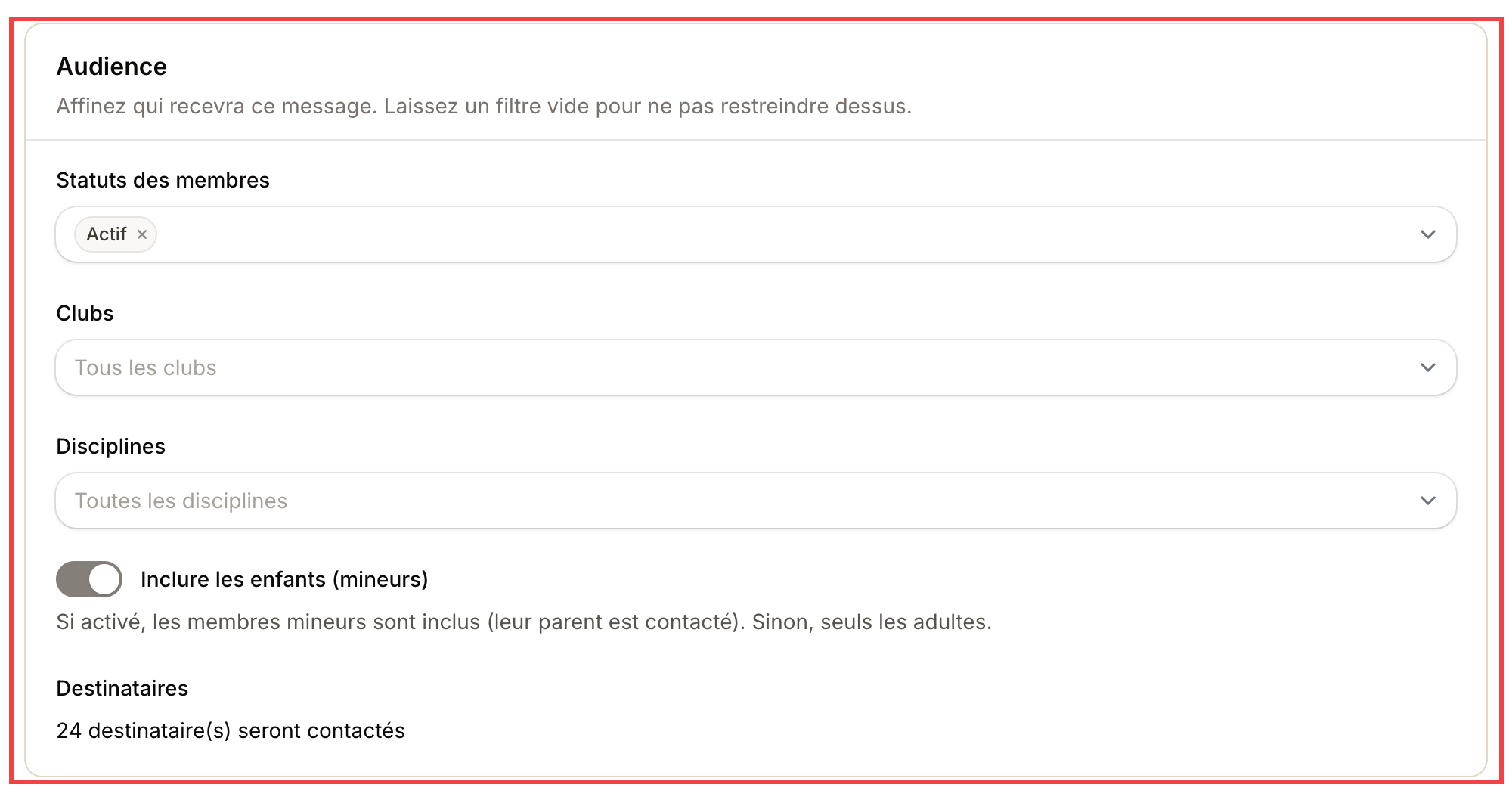
The counter at the bottom of the block updates live and tells you how many recipients will be contacted.
| Filter | What it does |
|---|---|
| Member status | Active, Trial, Unpaid, Suspended, etc. Multi-select |
| Clubs | Empty = every club. Selected = only these |
| Disciplines | Empty = all. Selected = only practitioners of these arts |
| Include kids | On: minors get the message via their parent. Off: adults only |
| Recipients | Live counter: how many people will get the email |
💡 Tip: watch the counter. If you see "24 recipients" when you expected 200, your filter is likely too narrow.
Step 2 — Write the message
Type the subject (the line in the inbox) then the body.
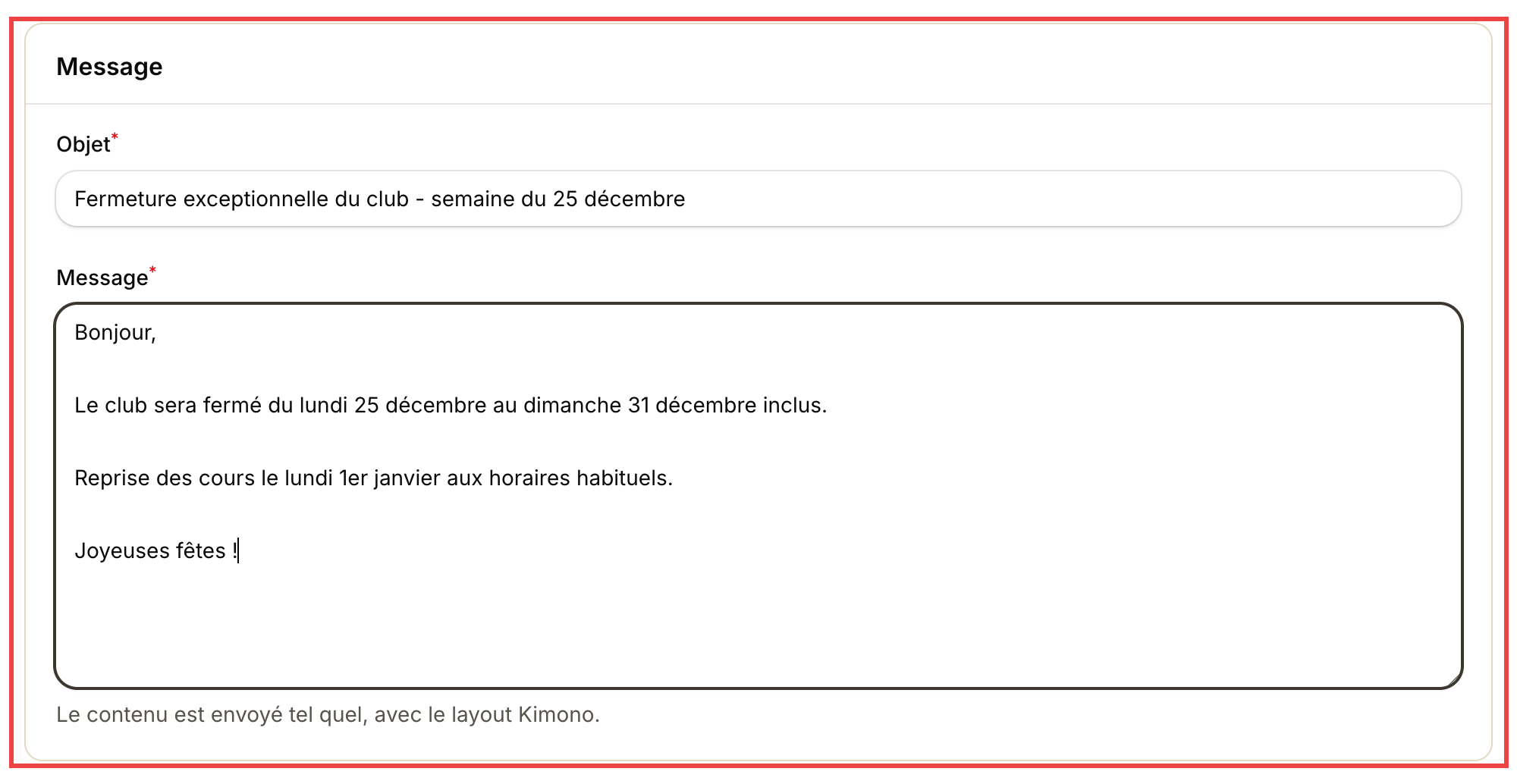
Content is sent as-is, wrapped in the header + footer layout configured for your organization.
- Subject: short, descriptive. Avoid ALL CAPS and emoji overload (spam triggers).
- Message: free text. Use blank lines to breathe.
Step 3 — Send
Click Send broadcast at the top right. Kimono confirms and redirects you to history. Each send uses 1 email credit per recipient (see Buy an email pack if your quota is low).
Real-world examples
Closure announcement
The club closes for the holiday week.
- Status: Active
- Clubs: all
- Subject: Club closed — week of December 25
- Body: closure dates, reopen, season wishes.
Re-engage drop-offs
You spotted members absent for 4 weeks via the attendance stats.
- Status: Active
- Tag: Drop-off (created manually after analysis)
- Subject: We missed you 👋
- Body: short personal message + link to upcoming classes.
Float a new slot
- Discipline: BJJ
- Status: Active
- Subject: New Tuesday-evening BJJ — quick poll
- Body: pitch the project + Google Form link to gauge interest.
History and tracking
Under Communication → History:
- Send date and time.
- Recipient count.
- Status (sent / error).
- Message preview.
You can also duplicate a past send to reuse it as a template.