
Clubs and sessions
Create a club and schedule sessions
Define a training location, its capacity, schedule and disciplines, screen by screen.
Updated May 23, 2026
Create a club
A club in Kimono is a physical location or a training group inside your organization. You can have one or many (a chain of clubs).
This guide walks you through the form, screen by screen.
Why a club?
The club carries:
- Its own address and contact info.
- A max capacity.
- The disciplines practiced on site.
- Its opening hours (used for notifications).
- The trial-class settings (slots open to the public).
- Optionally, its own invoice numbering.
Where to find the form
Admin panel → Clubs → Create.
Step 1 — General information
Identify the club: name, logo, contact, manager.
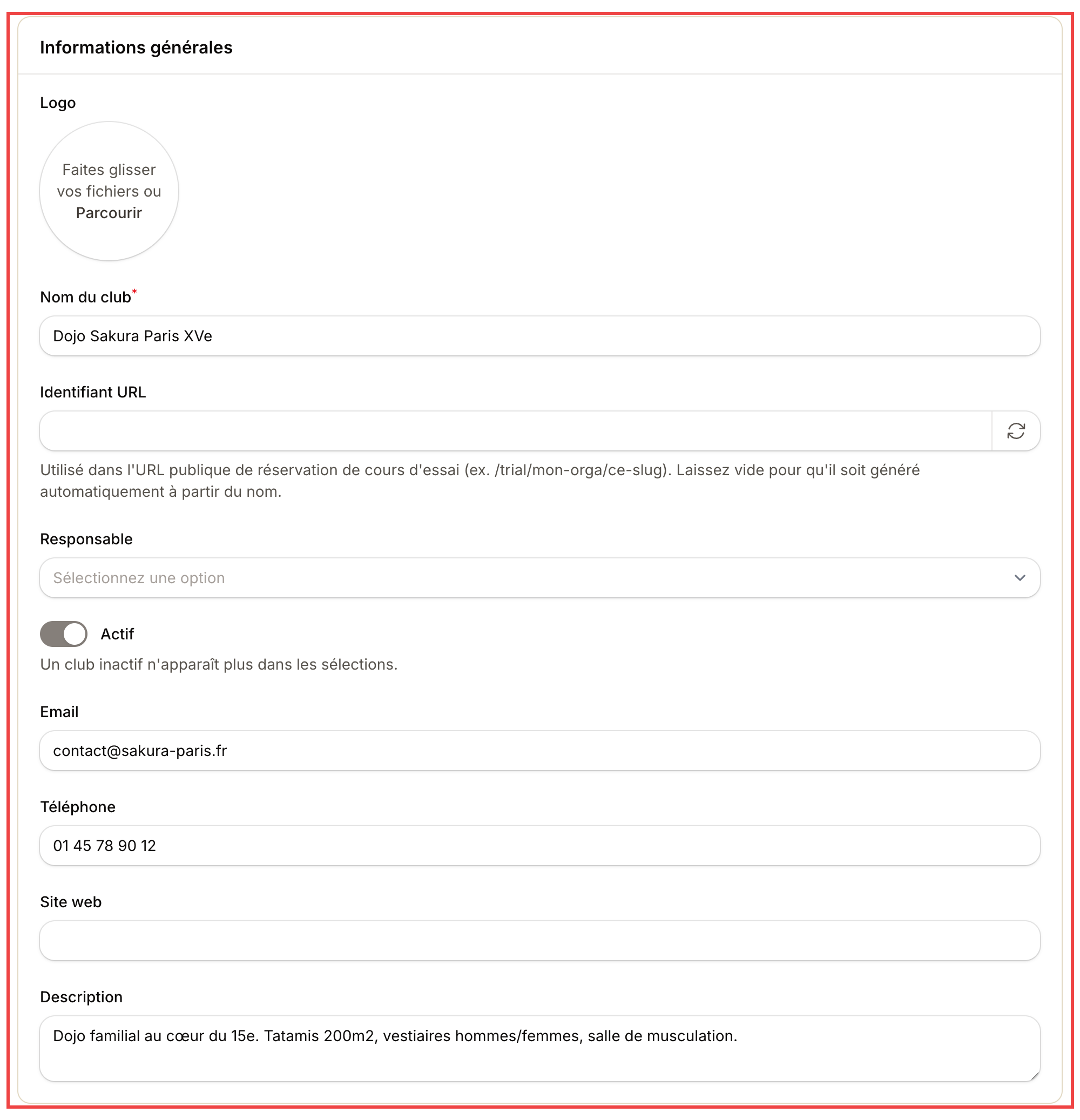
The club name is visible to members. The URL identifier is used in the public trial-class link (leave it empty and Kimono generates one).
| Field | Used for |
|---|---|
| Logo | Appears on the public club page and confirmation emails |
| Club name | Shown to members and prospects (e.g. Sakura Dojo Paris 15th) |
| URL identifier | Slug in /trial/your-org/this-slug. Empty = auto-generated |
| Manager | Main team member in charge (optional) |
| Active | Untick to hide the club from selectors without deleting |
| Email / Phone / Website | Contact info shown on the public page |
| Description | Free pitch (equipment, vibe) |
Step 2 — Location, hours, capacity
Full address and practical settings for members and prospects.
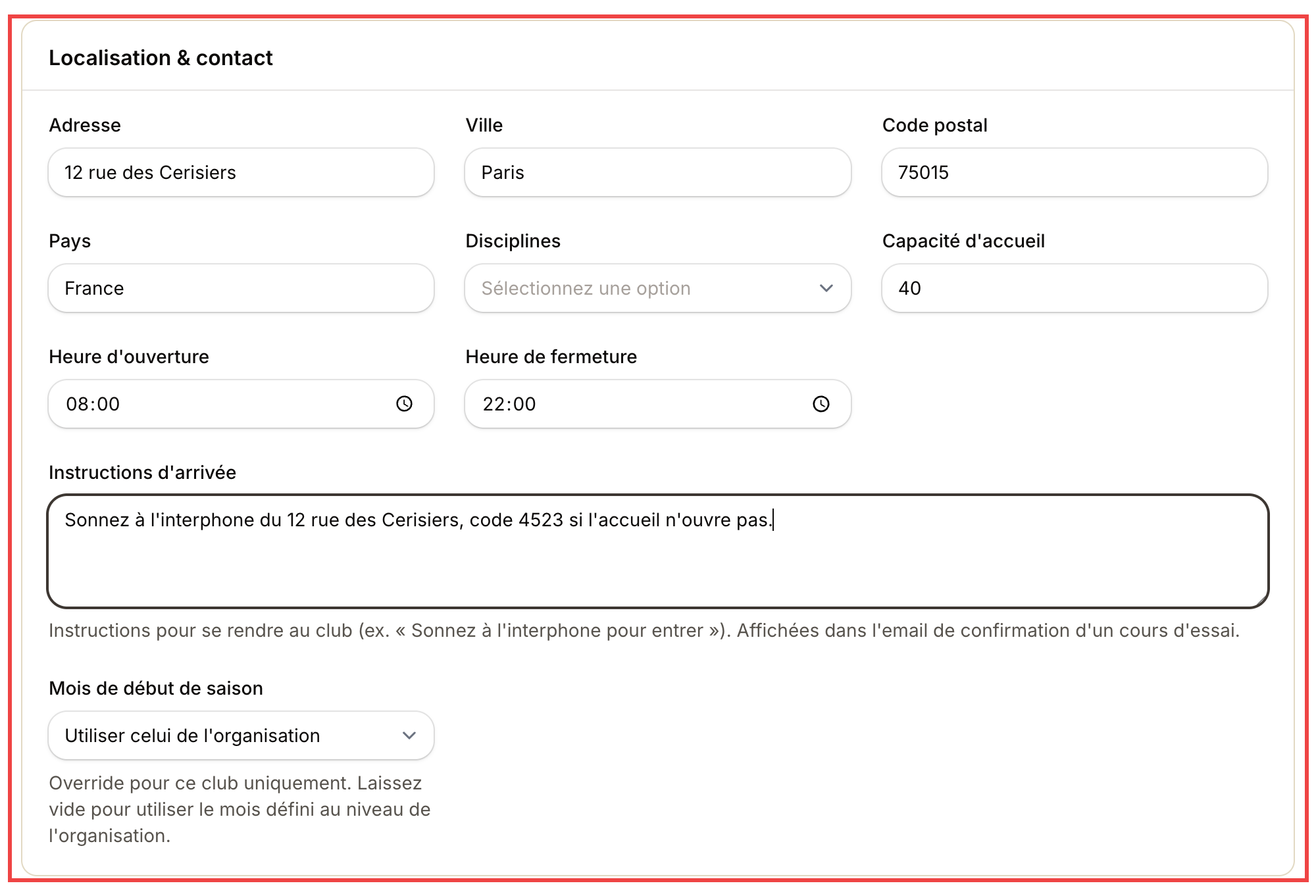
The arrival instructions are automatically included in the confirmation email sent after a trial-class signup. Don't skip them!
| Field | Used for |
|---|---|
| Address / City / ZIP / Country | Full address, printed on invoices and linked to Google Maps |
| Disciplines | Which martial arts are taught here |
| Capacity | Max simultaneous practitioners. Drives an overbook alert |
| Opening / Closing time | Club hours (informational, not a hard block) |
| Arrival instructions | Free text ("ring the intercom"...). Sent to prospects |
| Season start month | Per-club override (otherwise the org-wide value applies) |
Step 3 — Extra addresses (optional)
The Addresses block: add other locations tied to the club (annex, secondary practice room). Each address can be used as a meeting point.
Step 4 — Create the club
Create button at the top right. The club shows up in your list and becomes selectable in plans, events, trial slots.
What next?
- Schedule weekly sessions: add your timetable.
- Open the public trial-class page to capture new prospects.
- Configure invoice numbering at the club level (independent of the organization).
Multi-club tips
If you run several halls within the same legal entity:
- One organization + one club per location.
- Members are tied to the organization, they can train at any club.
- Each club has its own address, schedule, capacity.
- Bookkeeping is consolidated or separated depending on your invoice numbering setup.