
Plans and billing
Create a pricing plan with multiple periods
Define a sellable product (recurring subscription or one-time) with its pricings, screen by screen.
Updated May 23, 2026
Create a pricing plan
A pricing plan is a sellable product in your organization: annual fee, monthly adult subscription, 10-class pack, and so on. You build it once, then members subscribe to it.
This guide walks you through the form, screen by screen.
When to create a plan
- An annual association fee.
- A monthly adult or kids subscription.
- A non-renewable pack (e.g. 10 classes).
- A federation license billed in one shot.
Where to find the form
Admin panel → Organization → Plans → Create.
Step 1 — General information
Set the name members will see, the type (recurring Subscription or one-off Pass) and a short description used as the pitch on the public signup page.
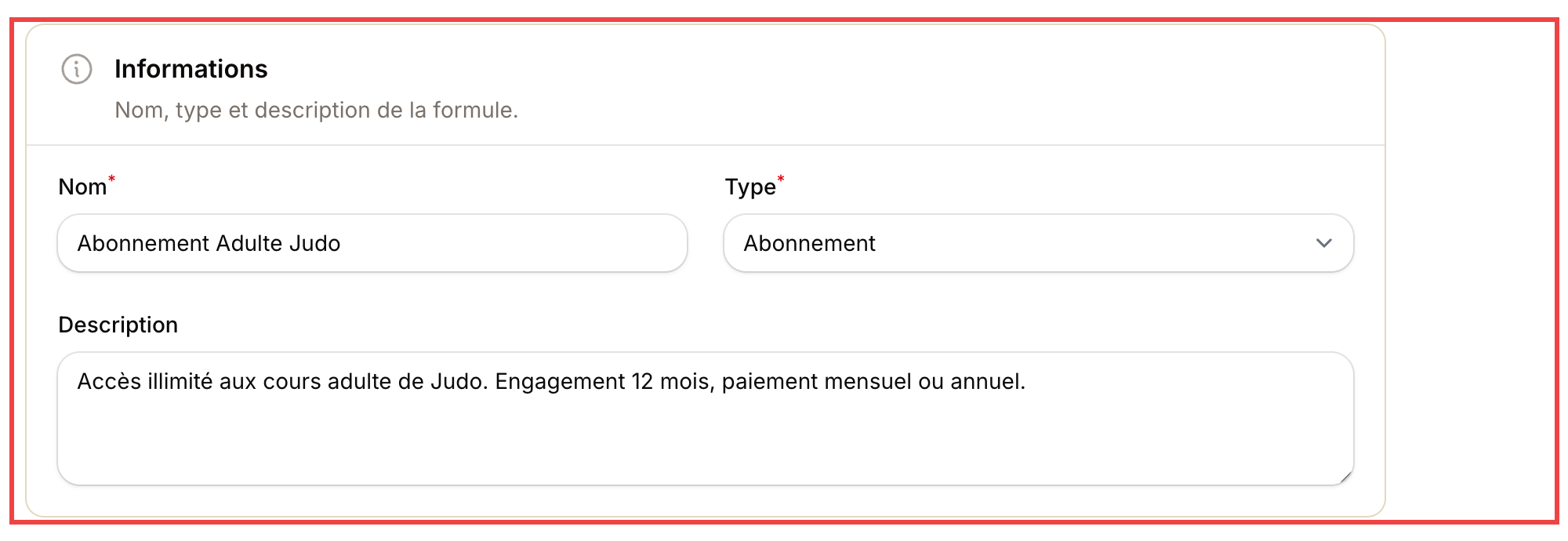
Pick a clear name (e.g. "Adult Judo Subscription"). The description appears as-is on the public page.
💡 Tip: torn between Subscription and Pass? Ask: does it auto-renew? Yes → Subscription. No → Pass.
Step 2 — Availability
Decide where and to whom the plan is offered.
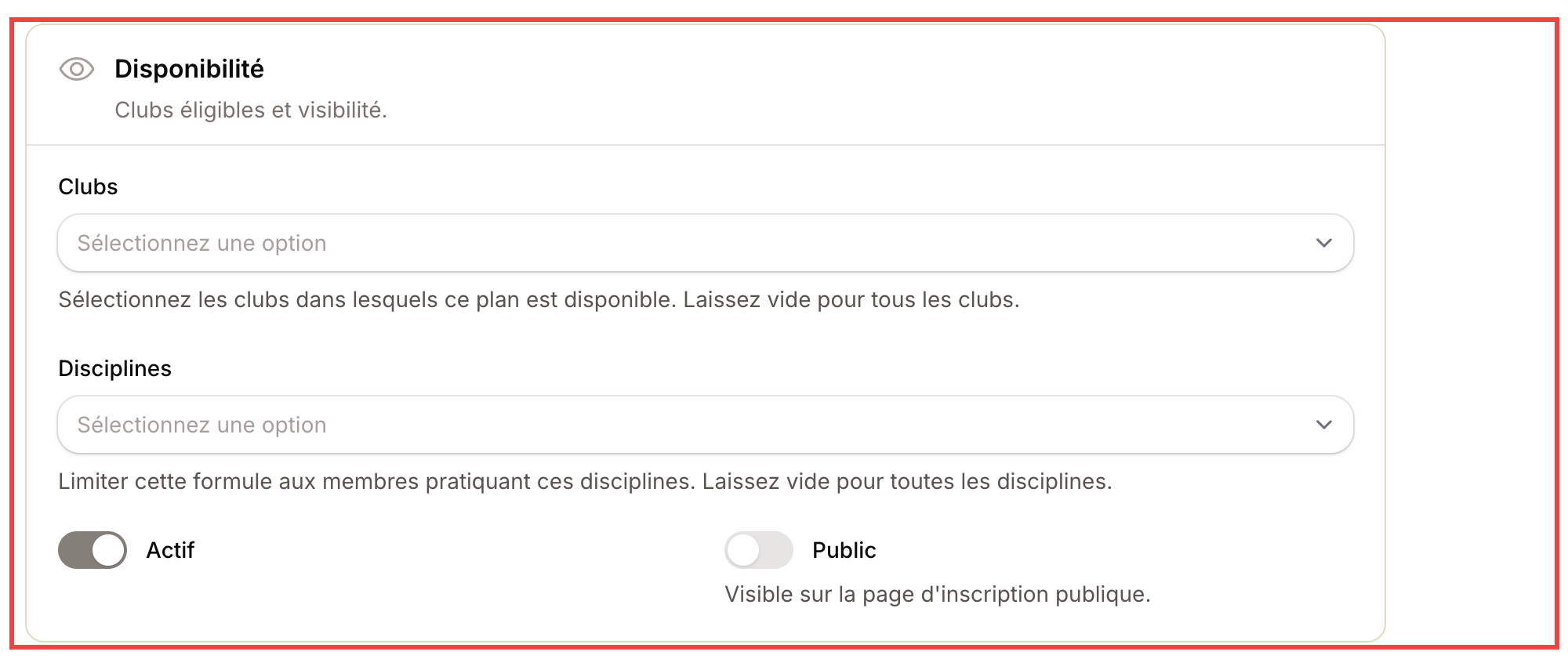
Leave Clubs empty for the plan to be available across every club. Tick Public to surface it on your public signup page.
- Clubs: scope the plan to specific locations. Empty = all.
- Disciplines: scope to practitioners of given martial arts. Empty = all.
- Active: untick to suspend the plan without deleting it (useful end-of-season).
- Public: visible on the online signup page. Untick for admin-only plans.
Step 3 — Pricing
Set the price here. You can add more than one (monthly, annual, one-off...).
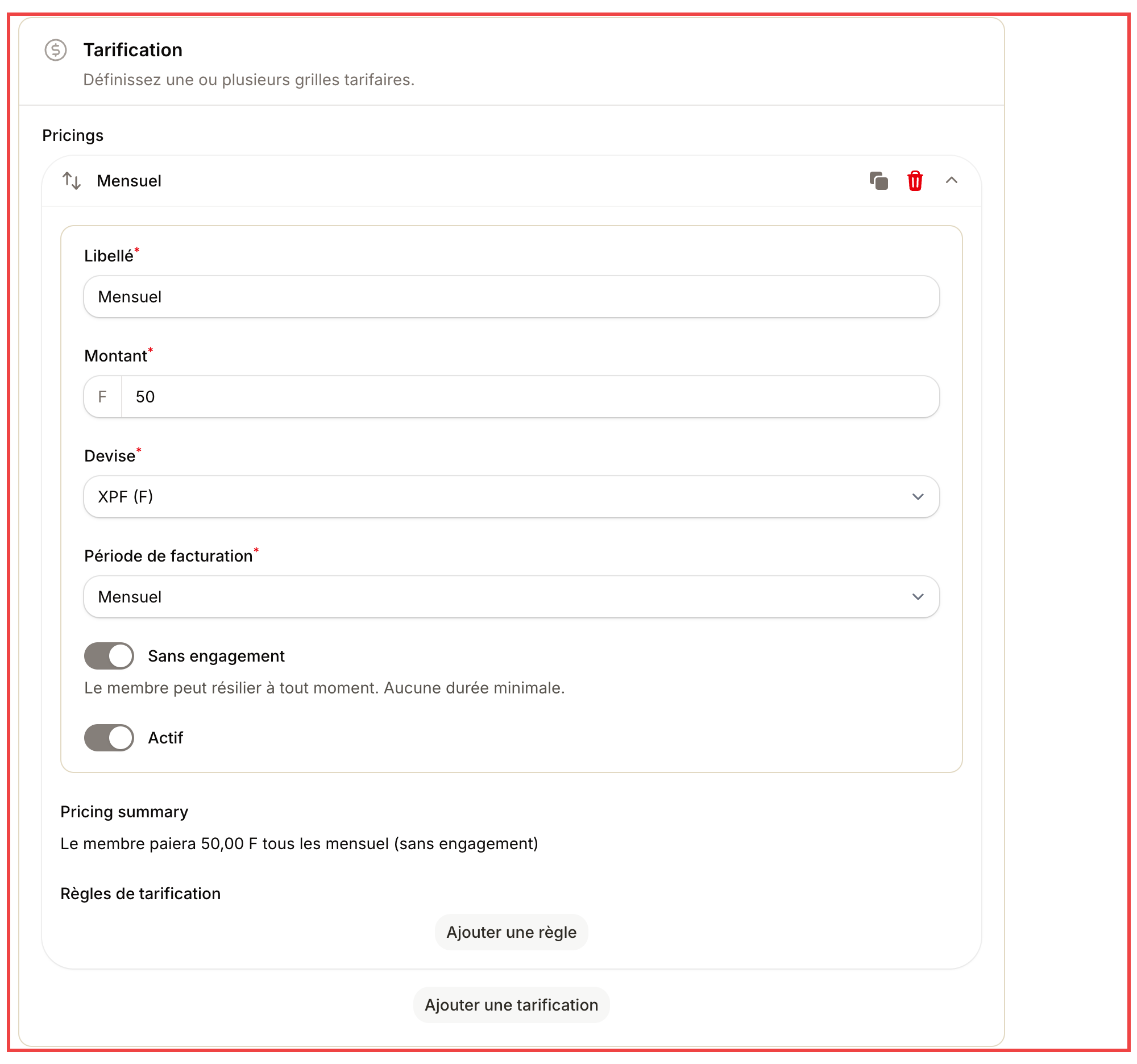
A plan can carry several pricings. Click "Add a pricing" to also offer an annual or quarterly payment.
For each pricing:
| Field | What it does |
|---|---|
| Label | Text shown to the member ("Monthly", "Annual -1 month free"...) |
| Amount | Price in the chosen currency |
| Currency | Pre-filled with your organization's default |
| Billing period | Monthly, quarterly, semi-annual, annual or one-off |
| No commitment | If on: cancel anytime. If off: minimum duration applies |
| Pricing rules | Auto-discounts (kids price, multi-discipline...) |
Add several pricings
Add a pricing button at the bottom of the block. Common setup:
- Monthly — €50/mo, 12-month commit.
- Annual — €540 upfront (= 1 month free).
- One-off — €480 paid upfront.
The member picks the option that fits them on signup.
Step 4 — Create the plan
Hit Create at the top right. The plan shows up in your catalog immediately and becomes subscribable.
What next?
- Set up pricing rules to auto-apply a kids price or a multi-discipline discount.
- Subscribe a member to this plan.
- Track payments and unpaid invoices.
⚠️ Important: once a member has subscribed, editing the plan price does not affect their current subscription. The new price only kicks in for new signups and renewals.