
Getting started
Create your Kimono organization
First login, organization creation and access to the admin panel.
Updated May 23, 2026
Create your Kimono organization
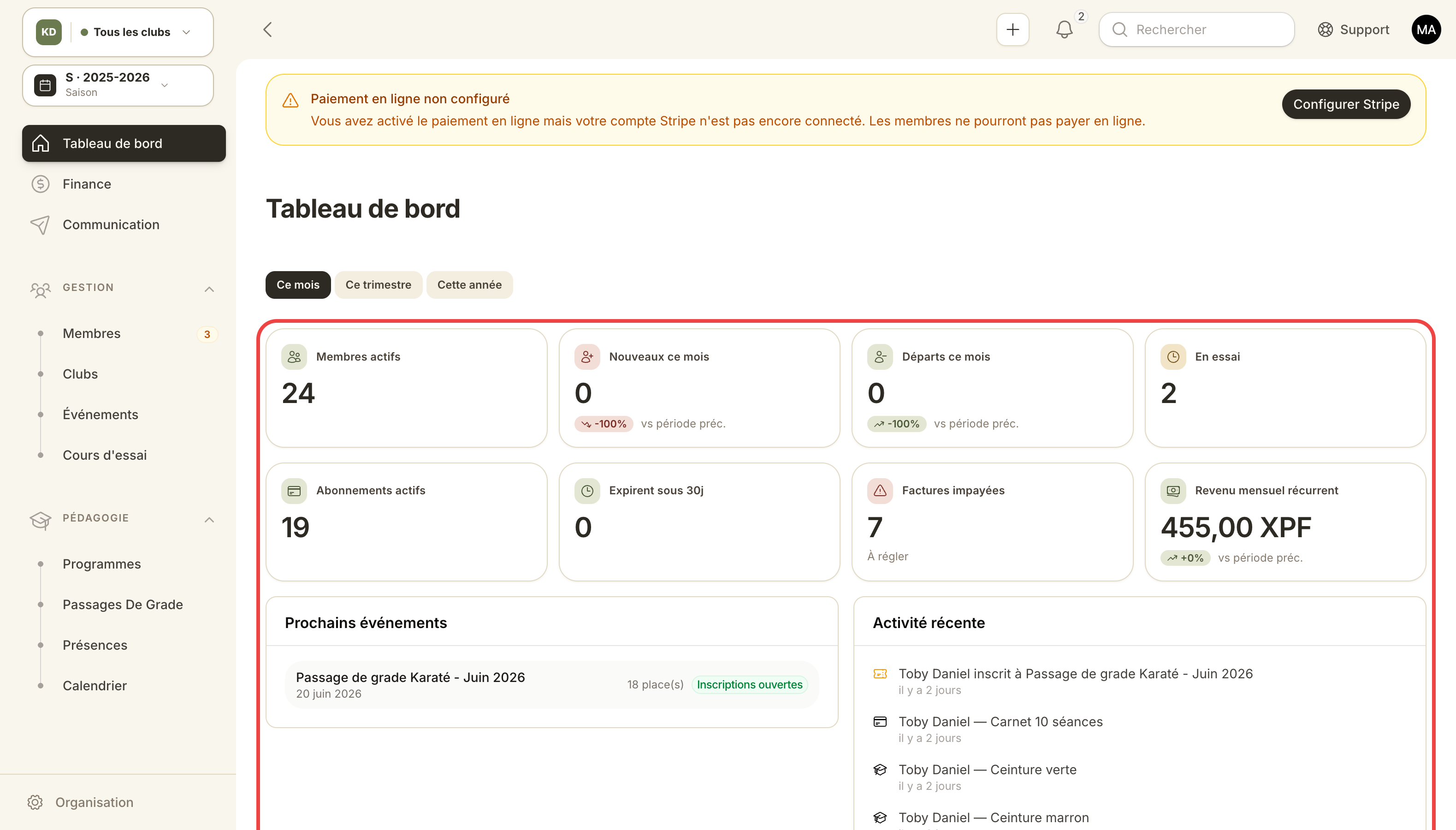
The dashboard after organization creation: key KPIs and recent activity.
Welcome to Kimono. This first step takes you from signup to an operational dashboard in under five minutes.
Use case
You run a dojo, a martial-arts club or a federation. You're starting from scratch or migrating from Excel / another tool. By the end of this guide you'll have:
- A personal user account (with Owner role on the organization).
- A Kimono organization with its own URL (
/admin/your-slug). - A Stripe Connect account auto-provisioned to charge your members.
Steps
1. User account signup
Head to the signup page. Provide your name, email and password. Confirm your email via the link you receive (required to activate billing).
2. Organization creation wizard
On first login, Kimono opens the organization wizard:
- Organization name — e.g. Sakura Dojo Paris.
- Slug — short identifier shown in the URL. Kimono detects collisions and appends a suffix (
sakura-paris-2) if needed. - Country and default currency — used on every invoice unless overridden per club.
Important: the slug is public. Pick one your members will recognize.
3. Stripe Connect provisioning
On organization creation, Kimono spins up a Stripe Express account in France (capabilities card_payments and transfers). You'll be prompted later to finish Stripe onboarding (KYC) from Organization → Billing settings.
Until Stripe is finished, you can issue invoices but not collect card payments.
4. Welcome to the admin panel
You land on /admin/your-slug. This is where you'll manage clubs, members, plans, invoices, events and communications.
Sample scenario — new dojo
Marie opens a new Judo dojo in Lyon. She signs up Monday evening, confirms her email, creates the Lyon Judo Academy organization (auto slug:
lyon-judo-academy). Tuesday morning she finishes Stripe Connect, creates her first club, adds three plans (Kids €30/mo, Adults €50/mo, Family €90/mo) and opens the public trial-class page. Tuesday night a first prospect signs up online.